Learn from failure
Failures are treated as training signals, not just reasons to retry.
Deployable learning agent framework
Deploy an agent. Let it learn, rewrite, and evolve its own skills.
Memento-Skills is a self-evolving agent framework built around skills as first-class
units of capability. Instead of treating tools as a flat list, it treats them as a library the agent can retrieve,
execute, evaluate, repair, and rewrite over time.
The core loop is simple: Read - Execute - Reflect - Write. When a task fails, the system does not just retry. It tries to identify the weak skill, improve it, and write the improved capability back into memory.
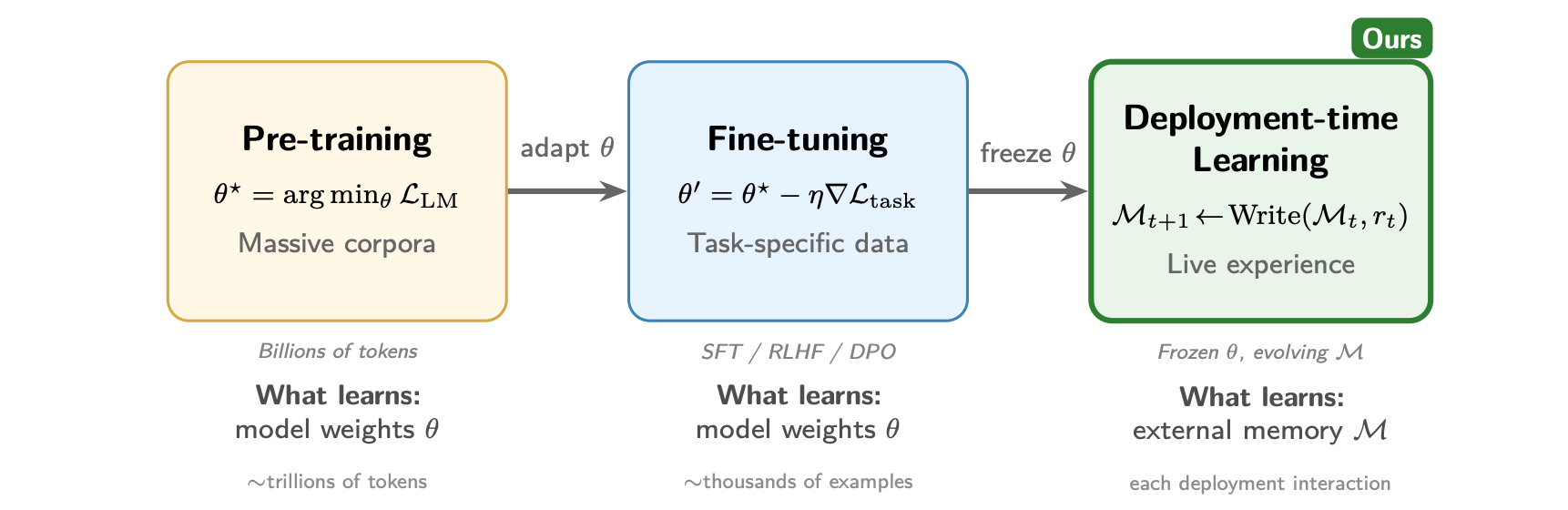
The three paradigms of LLM adaptation. Pre-training and fine-tuning update model parameters and demand large data and compute budgets. Deployment-time learning keeps the model frozen while accumulating experience in external skill memory, enabling continual adaptation from live interactions.
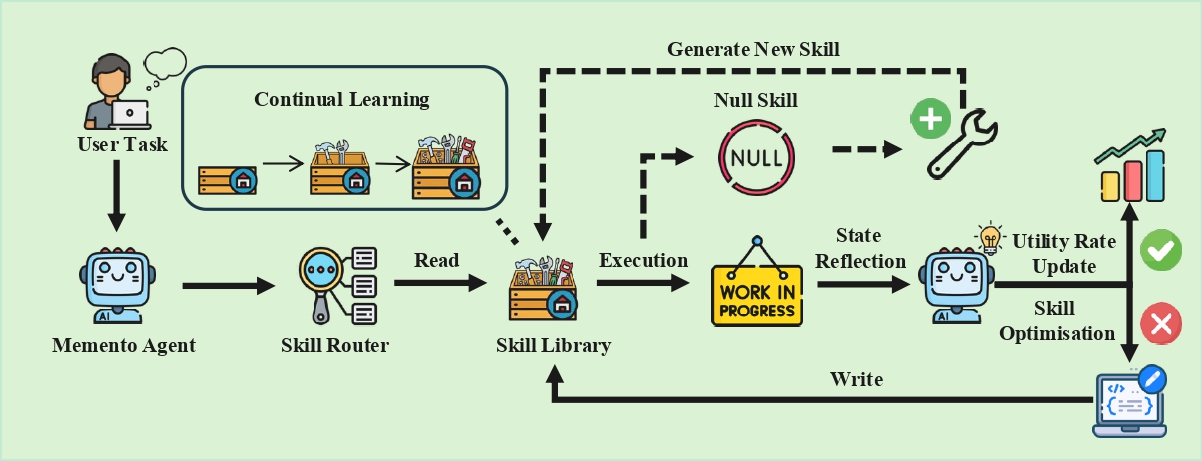
The architecture of the self-evolving agent based on a Read - Execute - Reflect - Write loop. The system retrieves or generates skills, executes them, reflects on the outcome, and writes improvements back into the skill library.
We evaluate Memento-Skills on two challenging benchmarks: HLE and GAIA.
Humanity's Last Exam probes expert-level reasoning with extremely difficult questions across disciplines.
GAIA evaluates general-purpose assistants on real-world, multi-step tasks involving tools, files, and the web.
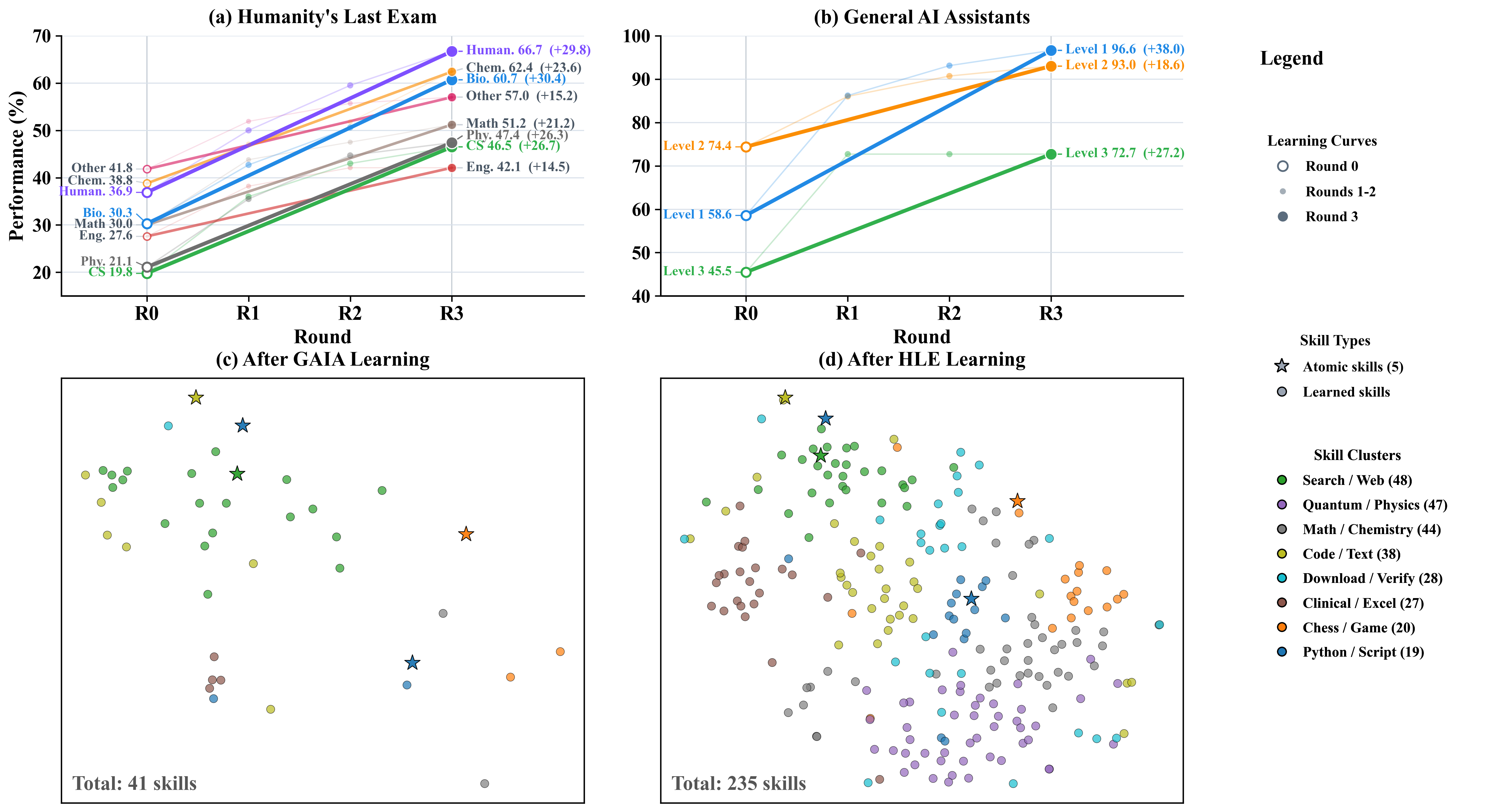
Performance improves over multiple learning rounds while the skill library grows from atomic tools into a richer, more repairable and more retrievable memory of capabilities.
Core question. Memento-Skills is not centred on how to make an assistant run. It is centred on how to make an agent learn from deployment experience, reflect on failure, and rewrite its own skill code and prompts.
Failures are treated as training signals, not just reasons to retry.
The system can optimise prompts, modify skill code, and create new skills when needed.
Local execution, persistent state, CLI, GUI, and IM integration make it deployable beyond a paper demo.
The system is designed to improve weak skills instead of only accumulating more tools.
It learns from live tasks while keeping the underlying model frozen.
CLI, GUI, Feishu integration, and local sandbox execution make it usable beyond a paper demo.
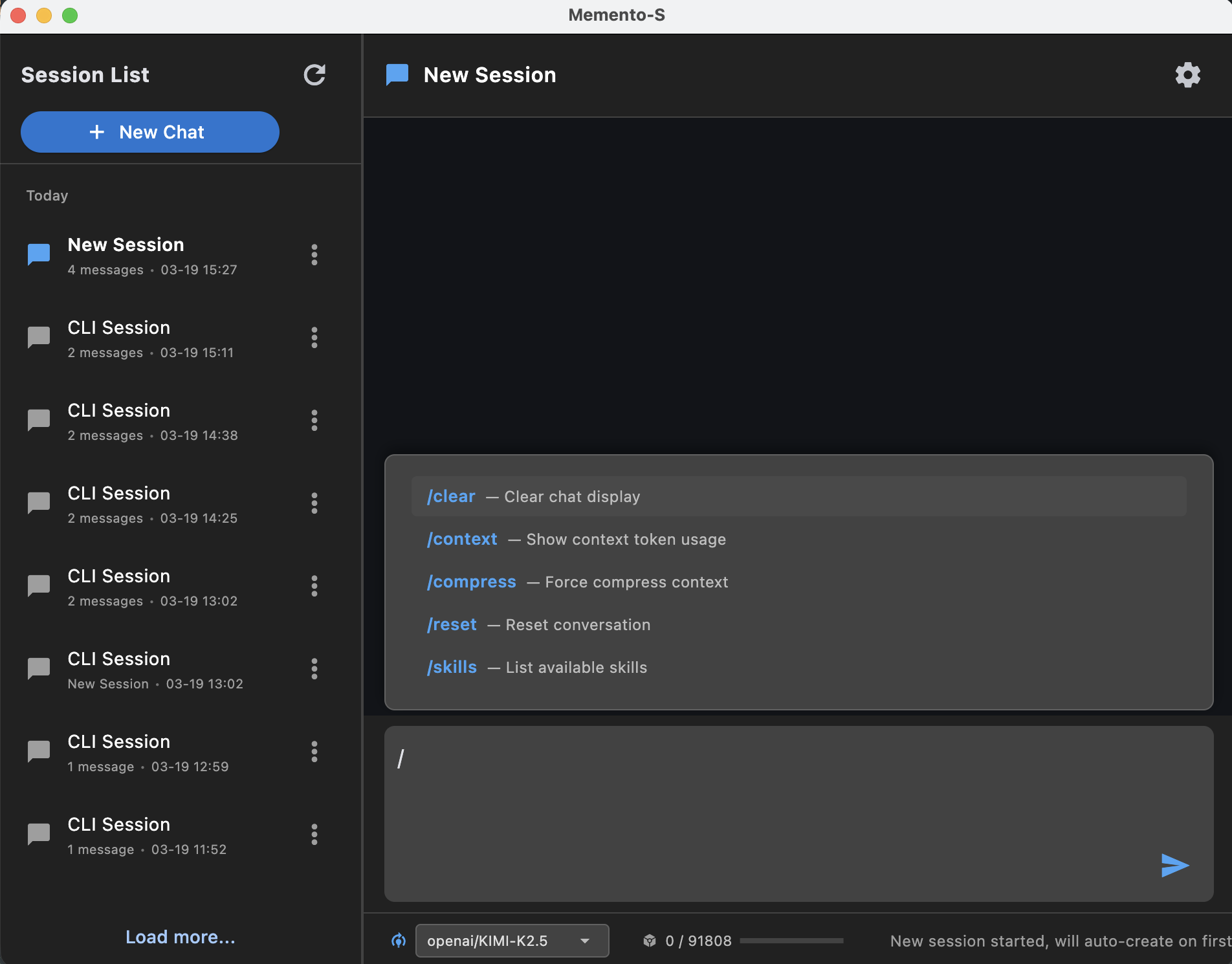
CLI, desktop GUI, Feishu bridge, skill verification, and local sandbox execution make the system practical for real deployment.
memento agent and memento-gui cover both terminal-first and visual workflows.
memento feishu and memento verify extend the system into messaging and skill auditing.
python -m venv .venv && source .venv/bin/activate && pip install -e . && memento doctor && memento agentDownload the pre-built desktop app. No Python or terminal needed. Just unzip and run.
git clone https://github.com/Memento-Teams/Memento-Skills.git
cd Memento-Skills
python -m venv .venv
source .venv/bin/activate
pip install -e .
On first launch, ~/memento_s/config.json is created automatically. Fill in your model profile, then start the app:
memento doctor
memento agent
memento-guiIf you find Memento-Skills useful in your research, please cite:
@article{zhou2026mementoskills,
  title={Memento-Skills: Let Agents Design Agents},
  author={Zhou, Huichi and Guo, Siyuan and Liu, Anjie and Yu, Zhongwei and Gong, Ziqin and Zhao, Bowen and Chen, Zhixun and Zhang, Menglong and Chen, Yihang and Li, Jinsong and Yang, Runyu and Liu, Qiangbin and Yu, Xinlei and Zhou, Jianmin and Wang, Na and Sun, Chunyang and Wang, Jun},
  journal={arXiv preprint arXiv:2603.18743},
  year={2026},
  url={https://arxiv.org/abs/2603.18743}
}